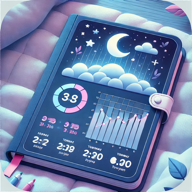
Sleeplog - Sleep Tracker & Sleep Diary with Statistics


Sleeplog is a sleep diary you fill in by hand. Each morning you note when you went to bed, when you woke up, how well you think you slept, and how you felt the evening before and after getting up. Over a week or two those small entries turn into a picture of your real sleep habits, which often differs from what people assume.
There is no wearable or microphone involved. You decide what to write, and the app does the arithmetic: it works out how long you slept, averages your duration and quality over the period you choose, draws a line chart of your hours, and points out your best night. A short notes field lets you record things like a late coffee, an evening workout or a stressful day, so you can spot what seems to help or hurt.
It is useful for anyone curious about their rest, people trying to settle into a steadier routine, and anyone who wants organised notes to bring to a conversation with a doctor.
The app runs entirely in your browser. What you enter is saved only on this device.
How to use Sleeplog
- Accept the notice. On your first visit a short disclaimer explains that Sleeplog is a personal record, not a medical tool. Tap "I understand" to continue.
- Pick the date. On the Record tab, choose the date the night belongs to.
- Set bedtime and wake time. Enter the time you went to bed and the time you got up. The app calculates your sleep duration, including nights that cross midnight.
- Rate how you felt. Use the sliders to score your condition before sleep, your condition after waking and the overall sleep quality, each from 1 (very bad) to 5 (very good).
- Add a note. Optionally write about mood, activities, meals or anything else that may have affected the night, then press Save.
- Browse the History tab. See past nights as a list. Tap an entry to view details, edit it or delete it.
- Open the Analysis tab. Choose a period (7 days, 14 days, 1 month, 3 months or all) to see average sleep time, average quality, average mood change, a trend chart of hours slept, your best night and a few sleep tips.
Features
- Record bedtime, wake time and automatically calculated sleep duration
- 1-to-5 ratings for condition before sleep, condition after waking and sleep quality
- Free-text notes for each night
- History list with editing and deleting
- Analysis over 7 days, 14 days, 1 month, 3 months or all time
- Average sleep time, average quality and average mood change
- Line chart of hours slept across the selected period
- Highlight of your best night with its details
- General tips, including notes when your average sleep looks short or long
How to keep a useful sleep diary
Why write it down
Memory is a poor judge of sleep. A single bad night can make a whole week feel restless, while a run of late nights blends together and seems normal. A diary replaces impressions with a record. Sleep specialists often ask patients to keep one for one to two weeks before an appointment, because it shows patterns in timing, duration and daytime effects that are hard to describe from memory.
What to record
The basics are the time you went to bed, the time you got up, and a rough sense of how rested you feel. Useful extras for the notes field include caffeine after lunch, alcohol, a heavy or late meal, naps, exercise, screen use in bed, stress and, for some people, where they were in their menstrual cycle. Fill it in soon after waking so details are fresh, and don't worry about exact minutes: consistency matters more than precision.
How much sleep adults usually need
Public health guidance commonly suggests that most adults aim for seven or more hours a night, while children and teenagers need more. Needs vary between individuals, so the best signal is how you feel during the day. If you regularly rely on an alarm, nap unintentionally or struggle to concentrate, you may need more time in bed than you are getting.
Habits that often help
A steady wake time, even on weekends, is one of the most reliable ways to stabilise your body clock. Morning daylight helps reinforce it. In the evening, a dim, cool, quiet bedroom and a wind-down routine make it easier to fall asleep. Many people find that cutting caffeine from the afternoon onward, avoiding alcohol close to bedtime and keeping phones out of bed make a difference. Regular physical activity tends to support sleep, though some people prefer not to exercise hard just before bed.
Change one thing at a time and keep logging. After a week or two, compare the averages before and after, so you can see whether that change actually helped you.
When to talk to a professional
A diary is for observation, not diagnosis. Consider seeing a doctor if you have trouble falling or staying asleep on most nights for weeks, feel very sleepy during the day despite enough time in bed, or if a partner notices loud snoring, pauses in breathing or gasping. Bringing your diary to that appointment can make the conversation more productive.
Frequently asked questions
Where is my sleep data stored?
Only in this browser on this device. There is no account and nothing is uploaded. Clearing your browser's site data, using private browsing or switching devices will leave you without your records.
Does Sleeplog track my sleep automatically?
No. It doesn't use sensors, sound or motion. Everything comes from what you type in, which keeps it simple and private.
What if I went to bed after midnight?
Just enter the actual times. Duration is calculated correctly whether bedtime falls before or after midnight.
Can I fix a mistake in a past entry?
Yes. Open the History tab, tap the night you want to change, and choose Edit. You can also delete an entry there.
How is the web version different from the phone app?
Recording, history and analysis are the same. The iPhone and Android apps add an optional premium upgrade that removes ads and a shortcut to review the app. Records are not shared between the web and the phone app.
Can Sleeplog tell me if I have a sleep disorder?
No. It is a record-keeping tool and does not diagnose anything. If you are concerned about your sleep, please speak with a doctor.
Limitations of the web version
- Manual entry only; no automatic sleep detection
- No reminders or bedtime alarms in the browser
- Data lives in one browser and is not backed up or synced
- One entry per night with a single bedtime and wake time (no separate naps or night wakings)
Disclaimer
Sleeplog is a personal record-keeping tool, not a medical device. It does not diagnose sleep problems or provide medical advice, diagnosis or treatment. If you have concerns about your sleep or health, please consult a doctor or healthcare professional.
Phone app
Sleeplog is also available as an app for phones and tablets:
App Store (iPhone, iPad) Google Play (Android)