What Is Dithering in Pixel Art? Types, Examples and When to Use It
Dithering is a way of faking colors you do not have. When an image is limited to a small palette, dithering mixes the available colors in patterns of dots so that, from a normal viewing distance, your eye blends them into in-between shades. It is why old games and early computer images could suggest smooth skies and shadows with only a handful of colors.
This guide explains how dithering works, the main types, when it improves pixel art and when it gets in the way, how to use it in pixel art by hand or in an editor, and how to switch it on in Dotcam.
How dithering works
Imagine reducing a photo to black and white only. Without dithering, every pixel is rounded to whichever color is closer, so a soft grey gradient becomes a hard edge where black suddenly turns to white. This hard step is called banding.
With dithering, the grey area is filled with a mix of black and white pixels, more white where the original was lighter, more black where it was darker. Up close you see dots; from a distance you see grey. The same idea works with any palette: two colors side by side can suggest a third.
The main types of dithering
Ordered dithering
Uses a fixed repeating pattern, often based on a grid called a Bayer matrix, to decide which pixels get which color. It produces a regular, cross-hatched texture that looks distinctly retro and stays stable in animation. The pattern itself is visible, which can be a feature or a distraction.
Error diffusion
Processes the image pixel by pixel. When a pixel is rounded to the nearest available color, the difference, the error, is spread to neighbouring pixels that have not been processed yet. Floyd-Steinberg is the best-known version: it passes the error to four neighbours in fixed proportions. The result looks more natural and grainy, closer to a printed photo, without an obvious repeating pattern.
Hand-placed dithering
Pixel artists often dither manually, using simple checkerboard patterns or scattered pixels in the transition between two colors. It is controlled and tidy, and artists use it sparingly, often only on large gradients or textures like stone or fabric.
When to use dithering, and when not to
Dithering tends to help when
- You are using very few colors and the image has smooth gradients, such as skies, skin or shadows.
- You want a retro computer or console look.
- The image will be seen at a size where the dots blend.
Dithering tends to hurt when
- The pixel size is large, so every dot is clearly visible and looks noisy.
- You need a clean, flat style or a pattern to count, such as cross-stitch, beads or Minecraft blocks, where scattered single pixels are hard to follow.
- You have plenty of colors already, so there is little banding to hide.
- The image is small and detailed, where dots compete with real features.
A quick test: try the same image with dithering on and off and look at both at the size people will actually see it.
Ways to add dithering
In an image editor
Most editors offer dithering when you convert an image to a limited or indexed palette, usually with a choice of methods such as none, a pattern or error diffusion. Good for full control, but the options are spread across menus and vary between programs.
By hand in a pixel art editor
Place checkerboard pixels between two color areas and taper them off. Gives the cleanest result and full control, but takes time and practice.
In a pixel art converter
A converter with a dithering switch lets you try it on and off instantly while you adjust the number of colors. Fast and easy, but you get the algorithm's pattern rather than hand-placed dots.
Adding dithering in Dotcam
Dotcam uses Floyd-Steinberg error diffusion when you switch dithering on.
- Choose a photo with Select from Gallery and press Generate Pixel Art.
- Open Basic Settings and set the Pixel Size. Smaller sizes show dithering more subtly.
- Turn on Reduce Colors and pick a color count. Dithering makes the most difference at low counts, roughly 2 to 16.
- Switch on Dithering and compare with it off. Use Undo and Redo to flip between versions.
- Combine with a filter such as Gameboy or Monochrome for a classic look, or save the combination as your own preset.
- Check the Original and Pixel Art tabs side by side, then download the PNG.
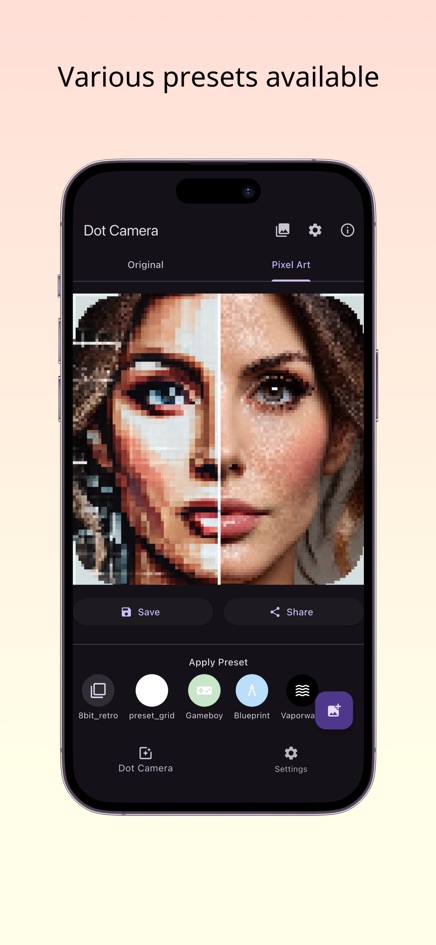
The web version processes images inside your browser without uploading them. Dotcam is also available for iPhone and Android. For the full conversion process, see how to turn a picture into pixel art.
Frequently asked questions
What does dithering do?
It mixes a limited set of colors in dot patterns so that, from a distance, the eye sees shades that are not in the palette, reducing visible banding.
What is Floyd-Steinberg dithering?
An error diffusion method: each pixel's rounding error is passed on to neighbouring pixels, giving a natural, grainy look without a fixed pattern.
Should I use dithering for pixel art?
Use it for smooth gradients with few colors or for a retro look. Skip it for clean flat styles or patterns you need to count.
Why does my image look noisy with dithering?
The pixel size may be large or the color count very low. Try more colors, a smaller pixel size, or turn dithering off.
Can I turn dithering off in Dotcam?
Yes. Dithering is a separate switch under the color reduction settings, so you can compare both looks.